Examples#
This page is generated from the runnable files in examples/browser-patterns/.
Update those files first, refresh screenshots with npm run docs:refresh-example-screenshots, then run npm run docs:sync-examples.
Plain HTML Form#
Use the browser's default application/x-www-form-urlencoded submission flow.
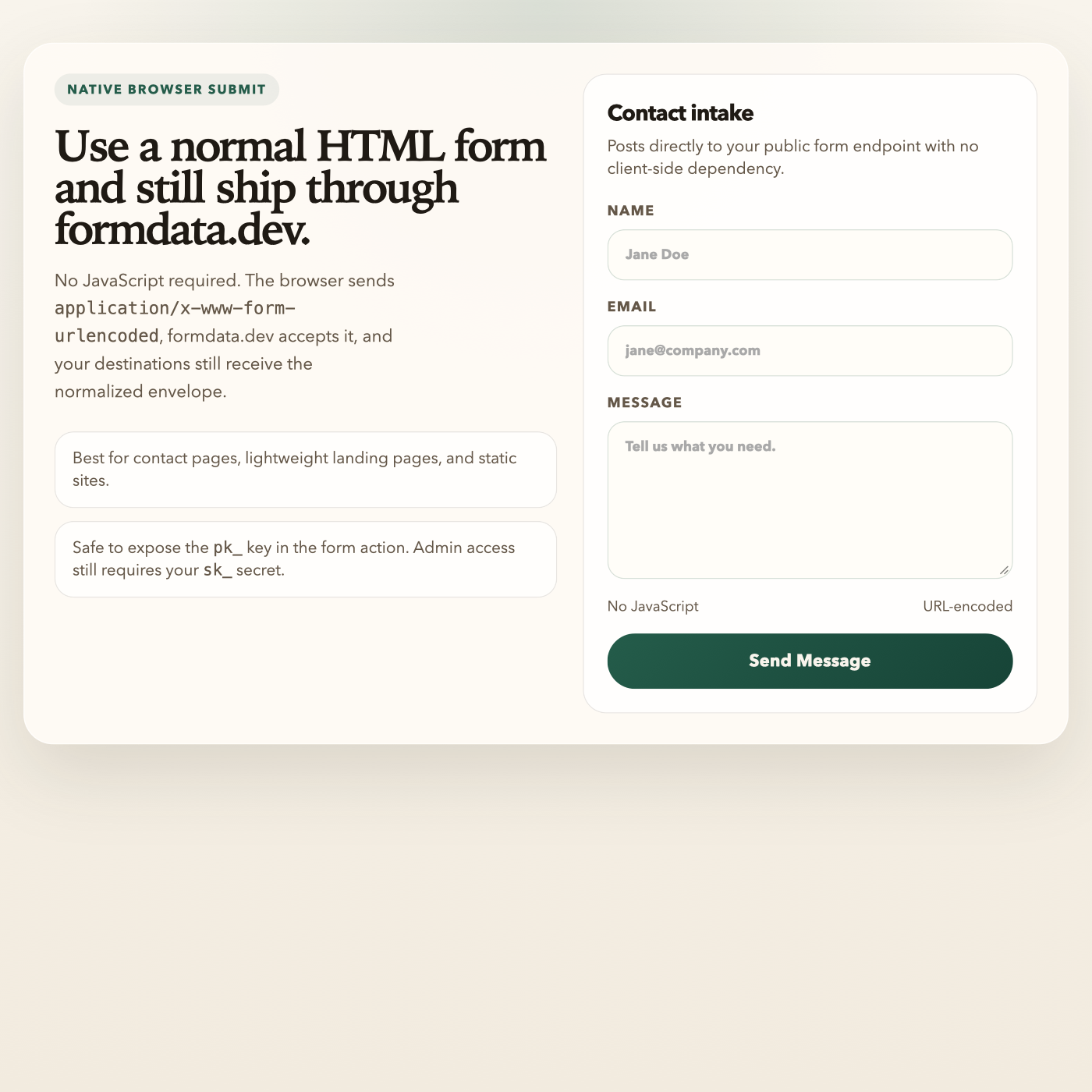
<!doctype html>
<html lang="en">
  <head>
    <meta charset="utf-8" />
    <meta name="viewport" content="width=device-width, initial-scale=1" />
    <title>formdata.dev — Plain HTML Form</title>
    <style>
      :root {
        --bg: #f5f1e8;
        --paper: rgba(255, 251, 245, 0.92);
        --line: rgba(62, 51, 35, 0.12);
        --text: #1f1a14;
        --muted: #645748;
        --accent: #245c4a;
        --accent-soft: #d9ebe4;
        --shadow: 0 28px 80px rgba(37, 30, 19, 0.12);
      }

      * {
        box-sizing: border-box;
      }

      body {
        margin: 0;
        min-height: 100vh;
        padding: 40px 20px;
        font-family: "Avenir Next", "Segoe UI", sans-serif;
        color: var(--text);
        background:
          radial-gradient(circle at top, rgba(36, 92, 74, 0.14), transparent 38%),
          linear-gradient(180deg, #f8f4ec 0%, #f2ebdf 100%);
      }

      .shell {
        max-width: 980px;
        margin: 0 auto;
        display: grid;
        gap: 28px;
      }

      .eyebrow {
        display: inline-flex;
        width: fit-content;
        padding: 7px 12px;
        border-radius: 999px;
        background: rgba(36, 92, 74, 0.08);
        color: var(--accent);
        font-size: 12px;
        letter-spacing: 0.12em;
        text-transform: uppercase;
        font-weight: 700;
      }

      .frame {
        display: grid;
        grid-template-columns: 1.05fr 0.95fr;
        gap: 24px;
        padding: 28px;
        border-radius: 28px;
        background: var(--paper);
        border: 1px solid rgba(255, 255, 255, 0.7);
        box-shadow: var(--shadow);
        backdrop-filter: blur(12px);
      }

      .intro h1 {
        margin: 18px 0 10px;
        font-family: "Iowan Old Style", "Palatino Linotype", serif;
        font-size: clamp(2.2rem, 4vw, 4rem);
        line-height: 0.96;
        letter-spacing: -0.05em;
      }

      .intro p {
        max-width: 34ch;
        color: var(--muted);
        font-size: 1.02rem;
        line-height: 1.65;
      }

      .notes {
        display: grid;
        gap: 12px;
        margin-top: 24px;
      }

      .note {
        padding: 14px 16px;
        border-radius: 18px;
        background: rgba(255, 255, 255, 0.72);
        border: 1px solid var(--line);
        color: var(--muted);
        font-size: 0.95rem;
      }

      form {
        display: grid;
        gap: 16px;
        padding: 22px;
        border-radius: 22px;
        background: rgba(255, 255, 255, 0.78);
        border: 1px solid var(--line);
      }

      .card-head {
        margin-bottom: 4px;
      }

      .card-head h2 {
        margin: 0 0 6px;
        font-size: 1.3rem;
        letter-spacing: -0.03em;
      }

      .card-head p {
        margin: 0;
        color: var(--muted);
        font-size: 0.95rem;
      }

      label {
        display: grid;
        gap: 8px;
        font-size: 0.82rem;
        font-weight: 700;
        text-transform: uppercase;
        letter-spacing: 0.08em;
        color: var(--muted);
      }

      input,
      textarea,
      button {
        font: inherit;
      }

      input,
      textarea {
        width: 100%;
        padding: 14px 16px;
        border-radius: 16px;
        border: 1px solid rgba(36, 92, 74, 0.18);
        background: #fffdf8;
        color: var(--text);
        transition: border-color 160ms ease, box-shadow 160ms ease;
      }

      input:focus,
      textarea:focus {
        outline: none;
        border-color: rgba(36, 92, 74, 0.56);
        box-shadow: 0 0 0 4px rgba(36, 92, 74, 0.12);
      }

      textarea {
        min-height: 148px;
        resize: vertical;
      }

      .meta {
        display: flex;
        justify-content: space-between;
        gap: 12px;
        color: var(--muted);
        font-size: 0.85rem;
      }

      button {
        padding: 15px 18px;
        border: none;
        border-radius: 999px;
        background: linear-gradient(135deg, #245c4a 0%, #174437 100%);
        color: #f8f4ec;
        font-weight: 700;
        cursor: pointer;
        letter-spacing: 0.01em;
      }

      @media (max-width: 840px) {
        .frame {
          grid-template-columns: 1fr;
        }
      }
    </style>
  </head>
  <body>
    <main class="shell">
      <section class="frame">
        <div class="intro">
          <span class="eyebrow">Native Browser Submit</span>
          <h1>Use a normal HTML form and still ship through formdata.dev.</h1>
          <p>
            No JavaScript required. The browser sends
            <code>application/x-www-form-urlencoded</code>, formdata.dev accepts it,
            and your destinations still receive the normalized envelope.
          </p>

          <div class="notes">
            <div class="note">Best for contact pages, lightweight landing pages, and static sites.</div>
            <div class="note">Safe to expose the <code>pk_</code> key in the form action. Admin access still requires your <code>sk_</code> secret.</div>
          </div>
        </div>

        <form method="POST" action="https://api.formdata.dev/v1/f/pk_YOUR_PUBLIC_KEY">
          <div class="card-head">
            <h2>Contact intake</h2>
            <p>Posts directly to your public form endpoint with no client-side dependency.</p>
          </div>

          <label>
            Name
            <input type="text" name="name" placeholder="Jane Doe" required />
          </label>

          <label>
            Email
            <input type="email" name="email" placeholder="[email protected]" required />
          </label>

          <label>
            Message
            <textarea name="message" placeholder="Tell us what you need." required></textarea>
          </label>

          <div class="meta">
            <span>No JavaScript</span>
            <span>URL-encoded</span>
          </div>

          <button type="submit">Send Message</button>
        </form>
      </section>
    </main>
  </body>
</html>
Source: examples/browser-patterns/plain-html-form.html
fetch() with JSON#
Use this when you want full control over client-side handling.
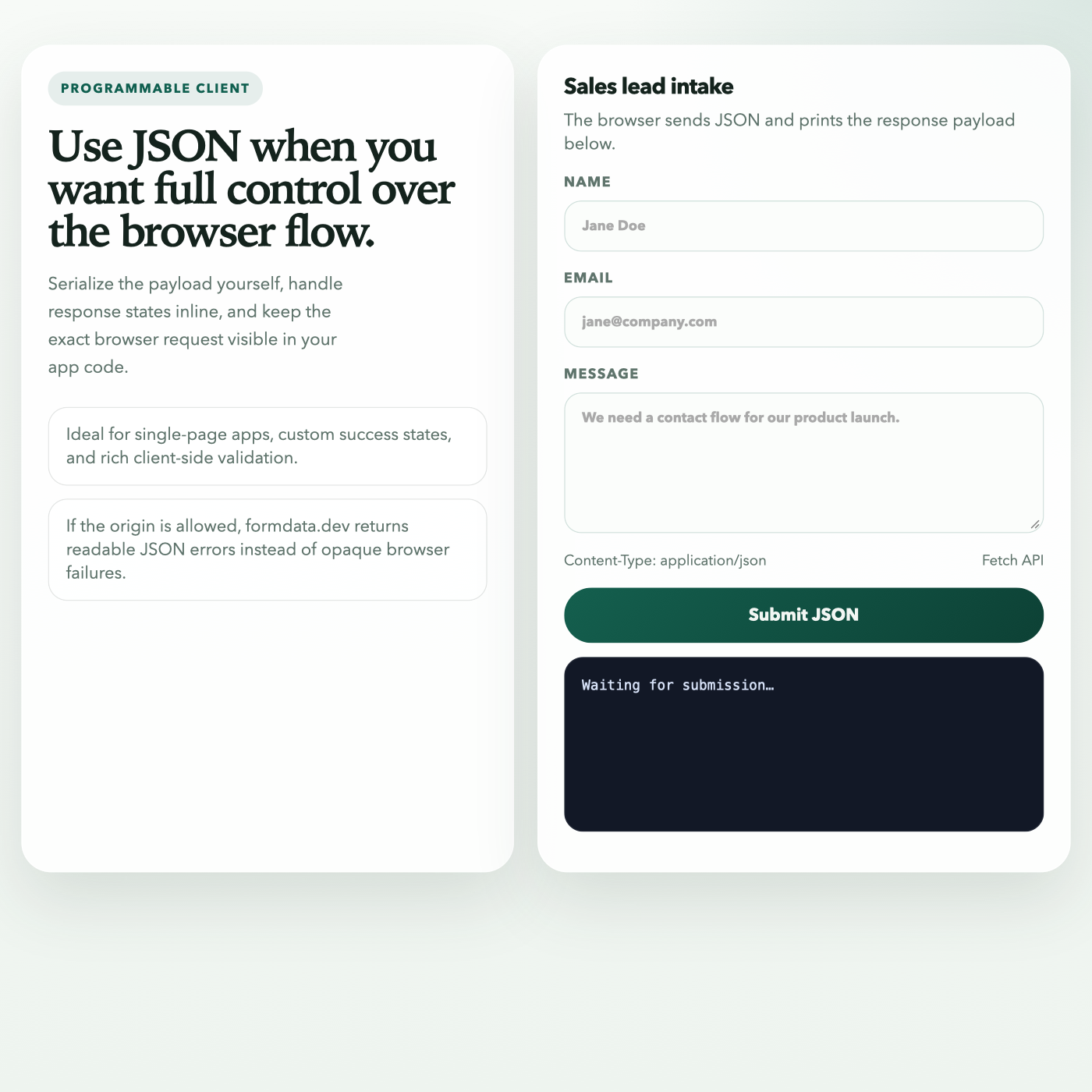
<!doctype html>
<html lang="en">
  <head>
    <meta charset="utf-8" />
    <meta name="viewport" content="width=device-width, initial-scale=1" />
    <title>formdata.dev — fetch(JSON)</title>
    <style>
      :root {
        --bg: #f2f6f3;
        --surface: rgba(255, 255, 255, 0.88);
        --line: rgba(23, 44, 36, 0.12);
        --text: #14231d;
        --muted: #5f746c;
        --accent: #0f5f4f;
        --accent-soft: rgba(15, 95, 79, 0.1);
        --terminal: #121826;
        --terminal-text: #d7e2f8;
        --shadow: 0 26px 70px rgba(24, 38, 31, 0.12);
      }

      * {
        box-sizing: border-box;
      }

      body {
        margin: 0;
        min-height: 100vh;
        padding: 42px 20px;
        font-family: "Avenir Next", "Segoe UI", sans-serif;
        color: var(--text);
        background:
          radial-gradient(circle at top right, rgba(15, 95, 79, 0.12), transparent 30%),
          linear-gradient(180deg, #f7faf7 0%, #eef4ef 100%);
      }

      .shell {
        max-width: 1120px;
        margin: 0 auto;
      }

      .layout {
        display: grid;
        grid-template-columns: 0.96fr 1.04fr;
        gap: 22px;
      }

      .panel {
        background: var(--surface);
        border: 1px solid rgba(255, 255, 255, 0.9);
        border-radius: 28px;
        padding: 24px;
        box-shadow: var(--shadow);
        backdrop-filter: blur(12px);
      }

      .eyebrow {
        display: inline-flex;
        padding: 8px 12px;
        border-radius: 999px;
        background: var(--accent-soft);
        color: var(--accent);
        font-size: 12px;
        font-weight: 700;
        text-transform: uppercase;
        letter-spacing: 0.12em;
      }

      h1 {
        margin: 18px 0 10px;
        font-family: "Iowan Old Style", "Palatino Linotype", serif;
        font-size: clamp(2.1rem, 4vw, 4rem);
        line-height: 0.98;
        letter-spacing: -0.05em;
      }

      .lede {
        max-width: 32ch;
        color: var(--muted);
        font-size: 1.02rem;
        line-height: 1.65;
      }

      .stack {
        display: grid;
        gap: 12px;
        margin-top: 24px;
      }

      .hint {
        padding: 14px 16px;
        border-radius: 18px;
        background: rgba(255, 255, 255, 0.72);
        border: 1px solid var(--line);
        color: var(--muted);
      }

      form {
        display: grid;
        gap: 16px;
      }

      .card-head h2 {
        margin: 0 0 6px;
        font-size: 1.3rem;
        letter-spacing: -0.03em;
      }

      .card-head p {
        margin: 0;
        color: var(--muted);
      }

      label {
        display: grid;
        gap: 8px;
        color: var(--muted);
        font-size: 0.82rem;
        font-weight: 700;
        text-transform: uppercase;
        letter-spacing: 0.08em;
      }

      input,
      textarea,
      button {
        font: inherit;
      }

      input,
      textarea {
        width: 100%;
        padding: 14px 16px;
        border-radius: 16px;
        border: 1px solid rgba(15, 95, 79, 0.18);
        background: #fbfdfb;
        color: var(--text);
      }

      textarea {
        min-height: 132px;
        resize: vertical;
      }

      input:focus,
      textarea:focus {
        outline: none;
        border-color: rgba(15, 95, 79, 0.55);
        box-shadow: 0 0 0 4px rgba(15, 95, 79, 0.12);
      }

      .meta {
        display: flex;
        justify-content: space-between;
        gap: 12px;
        color: var(--muted);
        font-size: 0.85rem;
      }

      button {
        padding: 15px 18px;
        border: none;
        border-radius: 999px;
        background: linear-gradient(135deg, #145f4e 0%, #0d4135 100%);
        color: #f2f6f3;
        font-weight: 700;
        cursor: pointer;
      }

      .result {
        background: var(--terminal);
        color: var(--terminal-text);
        padding: 16px;
        border-radius: 18px;
        overflow: auto;
        min-height: 164px;
        border: 1px solid rgba(215, 226, 248, 0.08);
        font: 500 13px/1.6 "SFMono-Regular", "JetBrains Mono", monospace;
      }

      @media (max-width: 900px) {
        .layout {
          grid-template-columns: 1fr;
        }
      }
    </style>
  </head>
  <body>
    <main class="shell">
      <section class="layout">
        <div class="panel">
          <span class="eyebrow">Programmable Client</span>
          <h1>Use JSON when you want full control over the browser flow.</h1>
          <p class="lede">
            Serialize the payload yourself, handle response states inline, and keep
            the exact browser request visible in your app code.
          </p>

          <div class="stack">
            <div class="hint">Ideal for single-page apps, custom success states, and rich client-side validation.</div>
            <div class="hint">If the origin is allowed, formdata.dev returns readable JSON errors instead of opaque browser failures.</div>
          </div>
        </div>

        <div class="panel">
          <form id="contact-form">
            <div class="card-head">
              <h2>Sales lead intake</h2>
              <p>The browser sends JSON and prints the response payload below.</p>
            </div>

            <label>
              Name
              <input type="text" name="name" placeholder="Jane Doe" required />
            </label>

            <label>
              Email
              <input type="email" name="email" placeholder="[email protected]" required />
            </label>

            <label>
              Message
              <textarea name="message" placeholder="We need a contact flow for our product launch." required></textarea>
            </label>

            <div class="meta">
              <span>Content-Type: application/json</span>
              <span>Fetch API</span>
            </div>

            <button type="submit">Submit JSON</button>
          </form>

          <pre id="result" class="result">Waiting for submission…</pre>
        </div>
      </section>
    </main>

    <script>
      const endpoint = 'https://api.formdata.dev/v1/f/pk_YOUR_PUBLIC_KEY';
      const form = document.getElementById('contact-form');
      const result = document.getElementById('result');

      form.addEventListener('submit', async (event) => {
        event.preventDefault();

        const formData = new FormData(form);
        const payload = Object.fromEntries(formData.entries());

        const response = await fetch(endpoint, {
          method: 'POST',
          headers: { 'Content-Type': 'application/json' },
          body: JSON.stringify(payload),
        });

        const body = await response.json();
        result.textContent = JSON.stringify(
          {
            status: response.status,
            body,
          },
          null,
          2,
        );
      });
    </script>
  </body>
</html>
Source: examples/browser-patterns/fetch-json.html
fetch() with FormData#
Use this when you want browser-native multipart encoding and repeated fields.
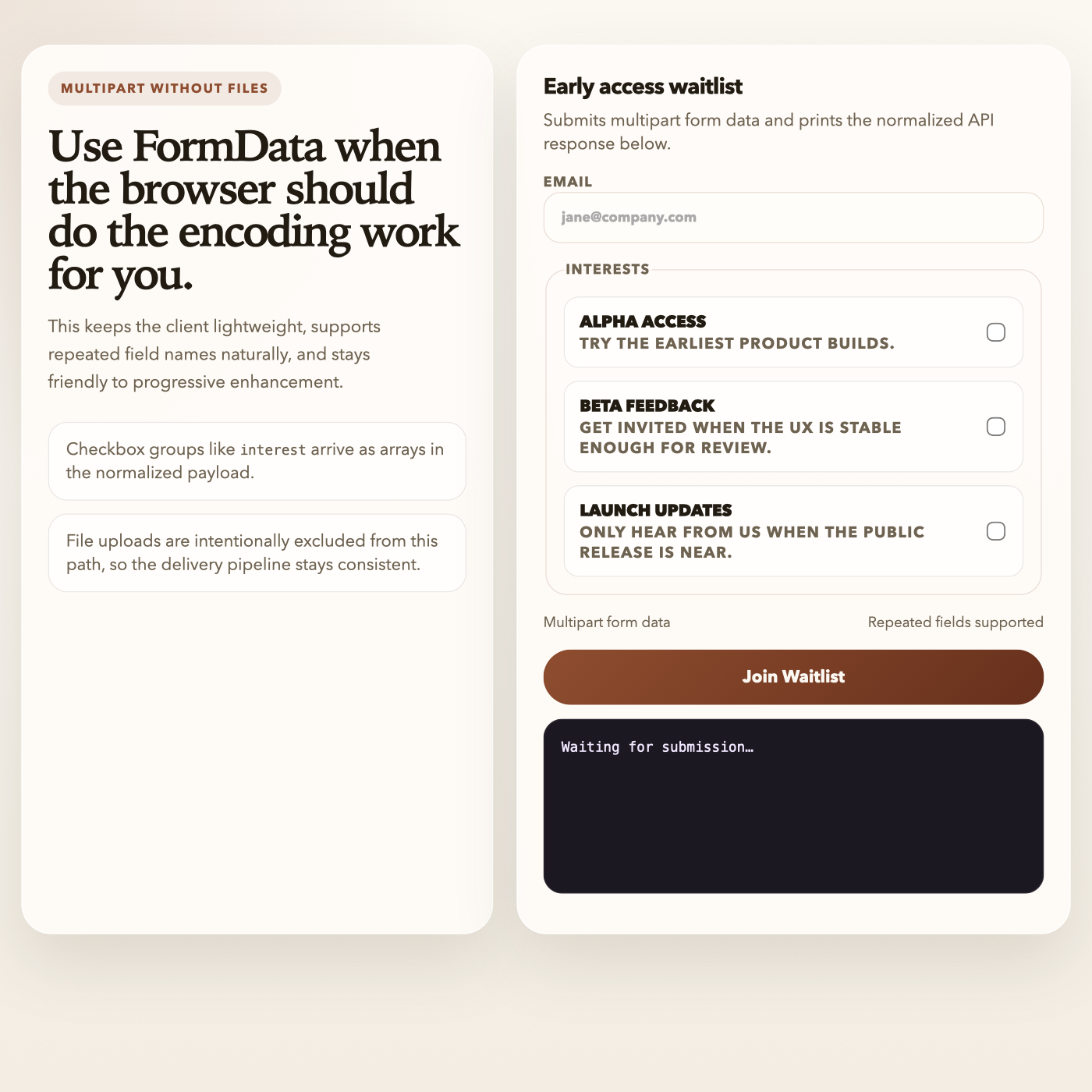
- Repeated field names are preserved as arrays in the normalized payload.
- Multipart examples must not include file uploads.
<!doctype html>
<html lang="en">
  <head>
    <meta charset="utf-8" />
    <meta name="viewport" content="width=device-width, initial-scale=1" />
    <title>formdata.dev — fetch(FormData)</title>
    <style>
      :root {
        --bg: #f8f5ef;
        --surface: rgba(255, 252, 248, 0.92);
        --line: rgba(74, 62, 41, 0.12);
        --text: #211b12;
        --muted: #6e6250;
        --accent: #8e4d2f;
        --accent-soft: rgba(142, 77, 47, 0.1);
        --terminal: #1c1821;
        --terminal-text: #f0e7ff;
        --shadow: 0 26px 70px rgba(44, 32, 16, 0.12);
      }

      * {
        box-sizing: border-box;
      }

      body {
        margin: 0;
        min-height: 100vh;
        padding: 42px 20px;
        font-family: "Avenir Next", "Segoe UI", sans-serif;
        color: var(--text);
        background:
          radial-gradient(circle at top left, rgba(142, 77, 47, 0.12), transparent 30%),
          linear-gradient(180deg, #fbf8f2 0%, #f3ede3 100%);
      }

      .shell {
        max-width: 1120px;
        margin: 0 auto;
      }

      .layout {
        display: grid;
        grid-template-columns: 0.92fr 1.08fr;
        gap: 22px;
      }

      .panel {
        background: var(--surface);
        border: 1px solid rgba(255, 255, 255, 0.9);
        border-radius: 28px;
        padding: 24px;
        box-shadow: var(--shadow);
      }

      .eyebrow {
        display: inline-flex;
        padding: 8px 12px;
        border-radius: 999px;
        background: var(--accent-soft);
        color: var(--accent);
        font-size: 12px;
        font-weight: 700;
        text-transform: uppercase;
        letter-spacing: 0.12em;
      }

      h1 {
        margin: 18px 0 10px;
        font-family: "Iowan Old Style", "Palatino Linotype", serif;
        font-size: clamp(2.05rem, 4vw, 3.8rem);
        line-height: 0.98;
        letter-spacing: -0.05em;
      }

      .lede {
        max-width: 34ch;
        color: var(--muted);
        font-size: 1.02rem;
        line-height: 1.65;
      }

      .stack {
        display: grid;
        gap: 12px;
        margin-top: 24px;
      }

      .hint {
        padding: 14px 16px;
        border-radius: 18px;
        background: rgba(255, 255, 255, 0.72);
        border: 1px solid var(--line);
        color: var(--muted);
      }

      form {
        display: grid;
        gap: 16px;
      }

      .card-head h2 {
        margin: 0 0 6px;
        font-size: 1.3rem;
        letter-spacing: -0.03em;
      }

      .card-head p {
        margin: 0;
        color: var(--muted);
      }

      label,
      legend {
        color: var(--muted);
        font-size: 0.82rem;
        font-weight: 700;
        text-transform: uppercase;
        letter-spacing: 0.08em;
      }

      fieldset {
        border: 1px solid rgba(142, 77, 47, 0.16);
        border-radius: 20px;
        padding: 16px;
        display: grid;
        gap: 12px;
      }

      .option {
        display: flex;
        align-items: center;
        justify-content: space-between;
        gap: 12px;
        padding: 12px 14px;
        border-radius: 14px;
        background: rgba(255, 255, 255, 0.72);
        border: 1px solid var(--line);
      }

      .option-copy strong {
        display: block;
        font-size: 0.98rem;
        color: var(--text);
        letter-spacing: -0.02em;
      }

      .option-copy span {
        color: var(--muted);
        font-size: 0.9rem;
      }

      input,
      button {
        font: inherit;
      }

      input[type='email'] {
        width: 100%;
        padding: 14px 16px;
        border-radius: 16px;
        border: 1px solid rgba(142, 77, 47, 0.18);
        background: #fffdf9;
        color: var(--text);
      }

      input[type='checkbox'] {
        width: 18px;
        height: 18px;
        accent-color: var(--accent);
      }

      input[type='email']:focus {
        outline: none;
        border-color: rgba(142, 77, 47, 0.5);
        box-shadow: 0 0 0 4px rgba(142, 77, 47, 0.1);
      }

      .meta {
        display: flex;
        justify-content: space-between;
        gap: 12px;
        color: var(--muted);
        font-size: 0.85rem;
      }

      button {
        padding: 15px 18px;
        border: none;
        border-radius: 999px;
        background: linear-gradient(135deg, #8e4d2f 0%, #67301c 100%);
        color: #fbf8f2;
        font-weight: 700;
        cursor: pointer;
      }

      pre {
        background: var(--terminal);
        color: var(--terminal-text);
        padding: 16px;
        border-radius: 18px;
        overflow: auto;
        min-height: 164px;
        border: 1px solid rgba(240, 231, 255, 0.08);
        font: 500 13px/1.6 "SFMono-Regular", "JetBrains Mono", monospace;
      }

      @media (max-width: 900px) {
        .layout {
          grid-template-columns: 1fr;
        }
      }
    </style>
  </head>
  <body>
    <main class="shell">
      <section class="layout">
        <div class="panel">
          <span class="eyebrow">Multipart Without Files</span>
          <h1>Use FormData when the browser should do the encoding work for you.</h1>
          <p class="lede">
            This keeps the client lightweight, supports repeated field names naturally,
            and stays friendly to progressive enhancement.
          </p>

          <div class="stack">
            <div class="hint">Checkbox groups like <code>interest</code> arrive as arrays in the normalized payload.</div>
            <div class="hint">File uploads are intentionally excluded from this path, so the delivery pipeline stays consistent.</div>
          </div>
        </div>

        <div class="panel">
          <form id="waitlist-form">
            <div class="card-head">
              <h2>Early access waitlist</h2>
              <p>Submits multipart form data and prints the normalized API response below.</p>
            </div>

            <label>
              <span>Email</span>
              <input type="email" name="email" placeholder="[email protected]" required />
            </label>

            <fieldset>
              <legend>Interests</legend>

              <label class="option">
                <span class="option-copy">
                  <strong>Alpha access</strong>
                  <span>Try the earliest product builds.</span>
                </span>
                <input type="checkbox" name="interest" value="alpha" />
              </label>

              <label class="option">
                <span class="option-copy">
                  <strong>Beta feedback</strong>
                  <span>Get invited when the UX is stable enough for review.</span>
                </span>
                <input type="checkbox" name="interest" value="beta" />
              </label>

              <label class="option">
                <span class="option-copy">
                  <strong>Launch updates</strong>
                  <span>Only hear from us when the public release is near.</span>
                </span>
                <input type="checkbox" name="interest" value="gamma" />
              </label>
            </fieldset>

            <div class="meta">
              <span>Multipart form data</span>
              <span>Repeated fields supported</span>
            </div>

            <button type="submit">Join Waitlist</button>
          </form>

          <pre id="result">Waiting for submission…</pre>
        </div>
      </section>
    </main>

    <script>
      const endpoint = 'https://api.formdata.dev/v1/f/pk_YOUR_PUBLIC_KEY';
      const form = document.getElementById('waitlist-form');
      const result = document.getElementById('result');

      form.addEventListener('submit', async (event) => {
        event.preventDefault();

        const formData = new FormData(form);
        const response = await fetch(endpoint, {
          method: 'POST',
          body: formData,
        });

        const body = await response.json();
        result.textContent = JSON.stringify(
          {
            status: response.status,
            body,
          },
          null,
          2,
        );
      });
    </script>
  </body>
</html>
Source: examples/browser-patterns/fetch-formdata.html
Captcha-Protected Submission#
If the form requires captcha, include the provider token in the x-captcha-token header.
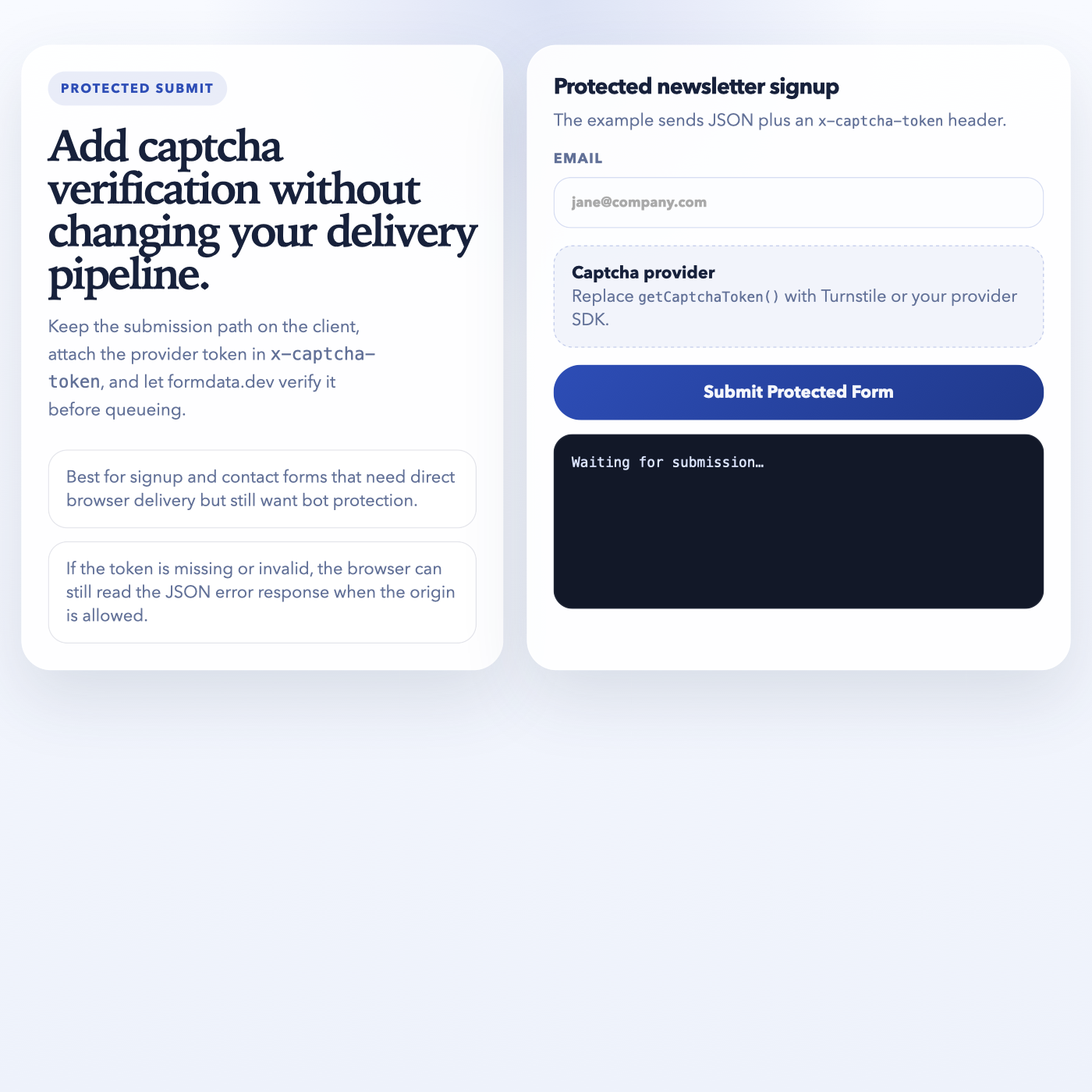
<!doctype html>
<html lang="en">
  <head>
    <meta charset="utf-8" />
    <meta name="viewport" content="width=device-width, initial-scale=1" />
    <title>formdata.dev — Captcha Example</title>
    <style>
      :root {
        --bg: #f4f6fb;
        --surface: rgba(255, 255, 255, 0.9);
        --line: rgba(33, 44, 92, 0.12);
        --text: #17213b;
        --muted: #617097;
        --accent: #2d4db6;
        --accent-soft: rgba(45, 77, 182, 0.1);
        --terminal: #121828;
        --terminal-text: #dce5ff;
        --shadow: 0 26px 70px rgba(26, 38, 75, 0.12);
      }

      * {
        box-sizing: border-box;
      }

      body {
        margin: 0;
        min-height: 100vh;
        padding: 42px 20px;
        font-family: "Avenir Next", "Segoe UI", sans-serif;
        color: var(--text);
        background:
          radial-gradient(circle at top center, rgba(45, 77, 182, 0.14), transparent 28%),
          linear-gradient(180deg, #f8faff 0%, #eef2fb 100%);
      }

      .shell {
        max-width: 1080px;
        margin: 0 auto;
      }

      .layout {
        display: grid;
        grid-template-columns: 0.94fr 1.06fr;
        gap: 22px;
      }

      .panel {
        background: var(--surface);
        border: 1px solid rgba(255, 255, 255, 0.92);
        border-radius: 28px;
        padding: 24px;
        box-shadow: var(--shadow);
      }

      .eyebrow {
        display: inline-flex;
        padding: 8px 12px;
        border-radius: 999px;
        background: var(--accent-soft);
        color: var(--accent);
        font-size: 12px;
        font-weight: 700;
        text-transform: uppercase;
        letter-spacing: 0.12em;
      }

      h1 {
        margin: 18px 0 10px;
        font-family: "Iowan Old Style", "Palatino Linotype", serif;
        font-size: clamp(2rem, 4vw, 3.8rem);
        line-height: 0.98;
        letter-spacing: -0.05em;
      }

      .lede {
        max-width: 34ch;
        color: var(--muted);
        font-size: 1.02rem;
        line-height: 1.65;
      }

      .stack {
        display: grid;
        gap: 12px;
        margin-top: 24px;
      }

      .hint {
        padding: 14px 16px;
        border-radius: 18px;
        background: rgba(255, 255, 255, 0.72);
        border: 1px solid var(--line);
        color: var(--muted);
      }

      form {
        display: grid;
        gap: 16px;
      }

      .card-head h2 {
        margin: 0 0 6px;
        font-size: 1.3rem;
        letter-spacing: -0.03em;
      }

      .card-head p {
        margin: 0;
        color: var(--muted);
      }

      label {
        display: grid;
        gap: 8px;
        color: var(--muted);
        font-size: 0.82rem;
        font-weight: 700;
        text-transform: uppercase;
        letter-spacing: 0.08em;
      }

      input,
      button {
        font: inherit;
      }

      input {
        width: 100%;
        padding: 14px 16px;
        border-radius: 16px;
        border: 1px solid rgba(45, 77, 182, 0.18);
        background: #fcfdff;
        color: var(--text);
      }

      input:focus {
        outline: none;
        border-color: rgba(45, 77, 182, 0.5);
        box-shadow: 0 0 0 4px rgba(45, 77, 182, 0.12);
      }

      .token-row {
        display: flex;
        align-items: center;
        justify-content: space-between;
        gap: 12px;
        padding: 14px 16px;
        border-radius: 18px;
        background: rgba(45, 77, 182, 0.06);
        border: 1px dashed rgba(45, 77, 182, 0.24);
        color: var(--muted);
      }

      .token-row strong {
        display: block;
        color: var(--text);
      }

      button {
        padding: 15px 18px;
        border: none;
        border-radius: 999px;
        background: linear-gradient(135deg, #2d4db6 0%, #20398b 100%);
        color: #f4f6fb;
        font-weight: 700;
        cursor: pointer;
      }

      pre {
        background: var(--terminal);
        color: var(--terminal-text);
        padding: 16px;
        border-radius: 18px;
        overflow: auto;
        min-height: 164px;
        border: 1px solid rgba(220, 229, 255, 0.08);
        font: 500 13px/1.6 "SFMono-Regular", "JetBrains Mono", monospace;
      }

      @media (max-width: 900px) {
        .layout {
          grid-template-columns: 1fr;
        }
      }
    </style>
  </head>
  <body>
    <main class="shell">
      <section class="layout">
        <div class="panel">
          <span class="eyebrow">Protected Submit</span>
          <h1>Add captcha verification without changing your delivery pipeline.</h1>
          <p class="lede">
            Keep the submission path on the client, attach the provider token in
            <code>x-captcha-token</code>, and let formdata.dev verify it before queueing.
          </p>

          <div class="stack">
            <div class="hint">Best for signup and contact forms that need direct browser delivery but still want bot protection.</div>
            <div class="hint">If the token is missing or invalid, the browser can still read the JSON error response when the origin is allowed.</div>
          </div>
        </div>

        <div class="panel">
          <form id="signup-form">
            <div class="card-head">
              <h2>Protected newsletter signup</h2>
              <p>The example sends JSON plus an <code>x-captcha-token</code> header.</p>
            </div>

            <label>
              Email
              <input type="email" name="email" placeholder="[email protected]" required />
            </label>

            <div class="token-row">
              <div>
                <strong>Captcha provider</strong>
                <span>Replace <code>getCaptchaToken()</code> with Turnstile or your provider SDK.</span>
              </div>
            </div>

            <button type="submit">Submit Protected Form</button>
          </form>

          <pre id="result">Waiting for submission…</pre>
        </div>
      </section>
    </main>

    <script>
      const endpoint = 'https://api.formdata.dev/v1/f/pk_YOUR_PUBLIC_KEY';
      const form = document.getElementById('signup-form');
      const result = document.getElementById('result');

      async function getCaptchaToken() {
        // Replace this stub with your provider-specific token retrieval.
        return 'TOKEN_FROM_CAPTCHA_PROVIDER';
      }

      form.addEventListener('submit', async (event) => {
        event.preventDefault();

        const captchaToken = await getCaptchaToken();
        const payload = Object.fromEntries(new FormData(form).entries());

        const response = await fetch(endpoint, {
          method: 'POST',
          headers: {
            'Content-Type': 'application/json',
            'x-captcha-token': captchaToken,
          },
          body: JSON.stringify(payload),
        });

        const body = await response.json();
        result.textContent = JSON.stringify(
          {
            status: response.status,
            body,
          },
          null,
          2,
        );
      });
    </script>
  </body>
</html>
Source: examples/browser-patterns/captcha-fetch.html
Inspect Recent Delivery Attempts#
Use the CLI or admin API to inspect recent delivered, retrying, and failed attempts without storing submission payloads.
#!/usr/bin/env bash
set -euo pipefail

FORM_ID="${1:-}"

if [[ -z "$FORM_ID" ]]; then
  echo "Usage: bash check-deliveries.sh <form-id>"
  exit 1
fi

echo "Recent attempts via CLI:"
npx formdata-dev forms deliveries "$FORM_ID" 20

echo
echo "Recent attempts via admin API:"
echo 'curl "https://api.formdata.dev/v1/admin/forms/'"$FORM_ID"'/delivery-attempts?limit=20" \'
echo '  -H "x-tenant-key: sk_YOUR_SECRET_KEY"'
Source: examples/browser-patterns/check-deliveries.sh